
Your planon your wrist.
Train from your coach's plan or your own, log what you eat, keep your supplements on time and see how you are progressing, on iPhone and Apple Watch. With a coach or on your own.
Android is in testing. A tablet version is in the works.
Every session asks how you want to train
- With timer
- Guides you set by set. Work, rest and preparation are timed for you, with sound cues.
- Without timer
- Every set on one screen, logged in any order. Add exercises or sets on the fly.
No plan today? Start an empty workout and save it as your own.
Everything between sessions
- TrainingYour plans, a calendar of every session and activities, with a live view on your lock screen while you train on the watch.
- NutritionFood diary with a barcode scanner, macros left for today, your own recipes, and diet plans you can load into your day.
- WaterLog it as you go and get reminded on the days and at the times you choose.
- SupplementsWhat you take, the dose and when. One reminder names everything due at that time.
- FridgeWhat you have at home and when it expires. Share it with the people you live with.
- ProgressCheck-ins, body metrics and strength history for every exercise.
- AlertsWater, supplements, workouts, check-ins and meals in one panel, on your phone and on your watch.
- Food safetyPublic food recall notices from GIS, for users in Poland, free on every plan.
- PrivacyLock the app with your phone's biometrics. Progress photos stay on your phone unless you share them with a coach.
An extension of the app, not a gadget
The watch doesn't just mirror your phone. It runs workouts by itself and lets you change your day from your wrist.
Food
- Meals with products, calories and macros
- Change amounts or remove a product (Pro)
- Macros and calories left for today
- Water with the crown
Fridge
- Everything you have, nearest date first
- Take out what you used
- Correct amounts, details and history (Pro)
Plans
- Your training plans, started from the wrist
- Your diet plans, loaded into your counter
- A week and month calendar of what you did
Training
- Guided workouts with tempo and rest
- Activities with heart rate and GPS distance
- A live view on your phone's lock screen
- Heart rate chart and zones (Pro and clients)
Check-ins
- Weight, energy, stress and sleep
- Reports for your coach, sent from the wrist
- Or start on the watch and add photos on the phone
Alerts
- Water, supplements, workouts and meals
- Turned on and changed from the watch
- Food recall notices in Poland, free for everyone
Apple Watch needs the O N E app on a paired iPhone. Some features depend on your plan.
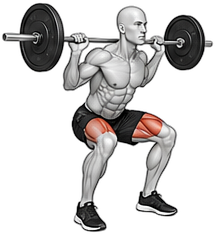
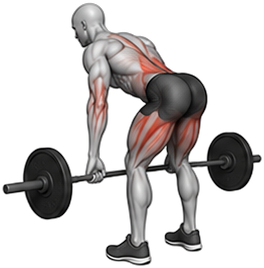
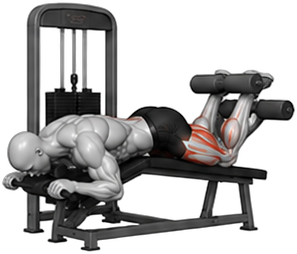
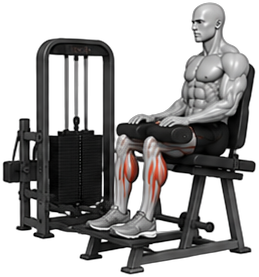
Training, food and progress, the way you will see them
Your coach's code, one request
- 1Sign up
With Google, Apple on iPhone, or an email and a 6 digit code from your inbox.
- 2Enter your coach's code
Under My trainer, enter the 8 character code your coach gives you and choose whether to share your history.
- 3Your coach accepts
Once your coach accepts the request in their panel, their plans, diet and check-ins appear in your app.
No coach yet? The app works on its own: food diary, recipes, supplements, fridge, your own workouts and check-ins.
Free, Pro, or included by your coach
Every plan, its limits and what you use of them are also shown in the app under Subscription.
- Free
For everyone who trains on their own
$0
- Food diary with a barcode scanner
- Empty workouts, saved workouts and activities
- Apple Health and workouts from Apple Watch (iPhone)
- Check-ins and the last 30 days of progress
- Fridge with 30 products and a freezer with 5
- Up to 10 recipes
- Up to 5 supplements, one reminder a day each
- Up to 2 water reminders a day
- O N E on Apple Watch: workouts, food, fridge, check-ins, alerts
- O N E Pro
Everything in Free, plus
$9.99 / month or $79.99 / year
- Your own multi-week workout plans
- Full progress history and strength charts
- Body measurements and progress photos
- Unlimited fridge and freezer, extra places
- Shared fridge with up to 5 people
- Unlimited recipes, grouped by meal
- Unlimited supplements, up to 6 reminders a day, your own names
- Water reminders, as many as your phone holds
- On the watch: change meals, correct your fridge, edit water reminders
- On the watch: heart rate chart and zones, Action button on Ultra
- Client
While you are connected to a coach
Included by your coach
- Training and diet plans from your coach
- Check-ins and reports for your coach
- Full progress history
- Unlimited fridge, shared with 1 more person
- Unlimited recipes and supplements
- On the watch: heart rate chart and zones, Action button on Ultra
- Add Pro any time for the Pro features
Pro renews monthly or yearly through the App Store or Google Play until you cancel it in your store account. Prices in your country are shown before you buy.
Questions
Is the app free?
Yes, O N E is free to download and the Free plan has no time limit. O N E Pro adds your own workout plans, full history, progress photos, a shared fridge and unlimited recipes and supplements. If you train with a coach, the Client plan is included by them.
How much is O N E Pro?
$9.99 a month or $79.99 a year in the US. Every country sees its own price in the App Store or Google Play before buying.
How do I buy Pro?
In the app: Home, Subscription, Go Pro. You pay with your Apple ID or Google account and Pro works at once, on your phone and your watch.
How do I cancel Pro?
On iPhone: Settings, under your name, Subscriptions. On Android: Google Play, your profile, Payments and subscriptions, Subscriptions. Pro stays until the end of the period you paid for. Deleting your O N E account does not cancel the subscription.
Do I need an Apple Watch?
No, the phone app does everything on its own. If you have a watch, O N E is on it too: workouts, food, the fridge, check-ins and alerts.
What can I do on the watch without my phone?
Workouts and activities run on the watch by themselves. Anything that saves to your account needs a connection, through your iPhone or the watch's own Wi-Fi or cellular. Finished workouts wait and upload when you are back online.
Can I send a report to my coach from the watch?
Yes. Send it from the wrist without photos, or tap Finish on your phone: your answers are saved, and you add the photos and send it from there. Your coach sees it only once it is sent.
When is Android or a tablet version coming?
The Android app is in testing now. A tablet version is in the works. We don't have dates to share yet.
Do I need a coach to use it?
No. Without a coach you can log food, save recipes, plan supplements, keep your fridge, run your own workouts and check in. Connect a coach whenever you are ready.
My coach sent me a plan. Where is it?
Under Training, Plans, From your trainer. A new plan from your coach becomes your active one, and you can switch between plans with the check next to each.
What happens if I stop working with my coach?
Disconnect under My trainer at any time. Your account and your own data stay yours, and you keep using the app on Free or Pro.
Can I share my fridge?
Yes. With Pro you can invite up to 5 people, and a client 1 person, with a code that is valid for 7 days.
Does it work offline?
Workouts are saved on your phone first and uploaded when you are back online, so a weak signal at the gym never loses a session.
How do I delete my account?
In the app: Account settings, Delete account. Your account and the data that belongs only to it are deleted.
I need help
Write to [email protected] and we will get back to you within one business day.